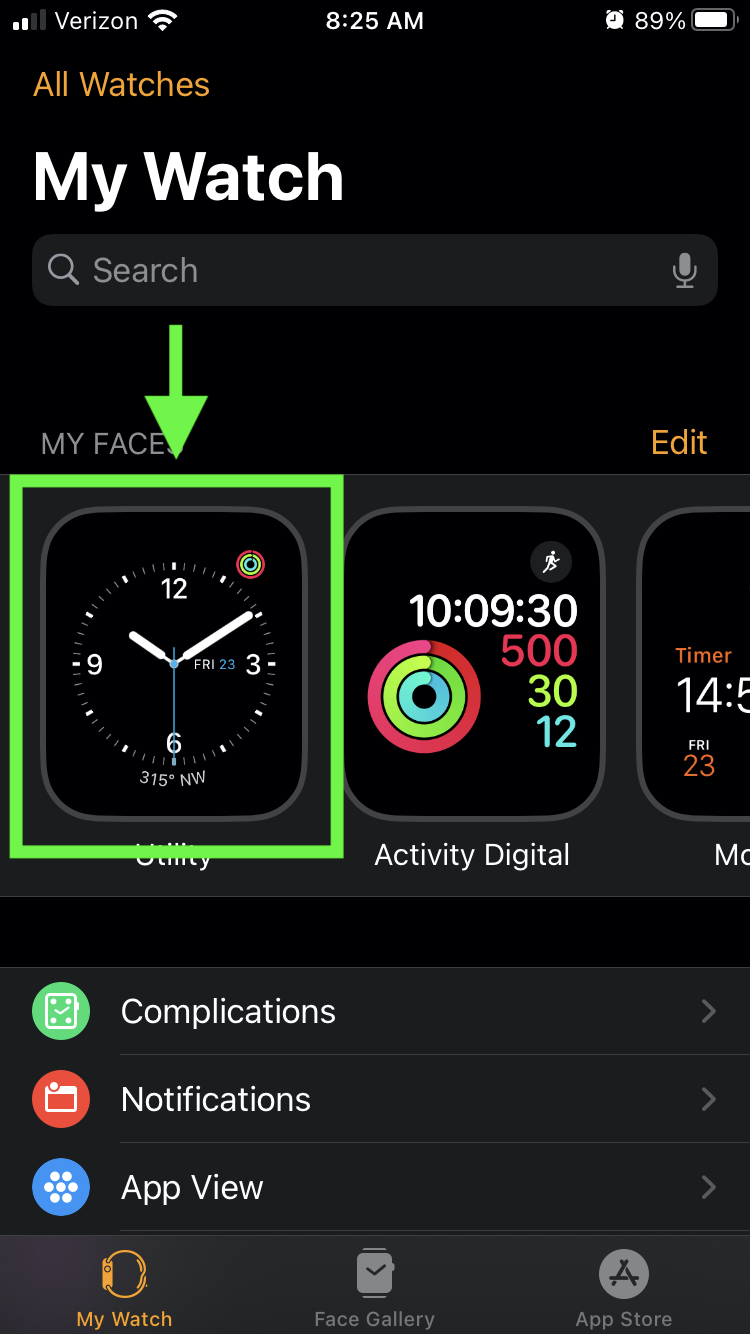
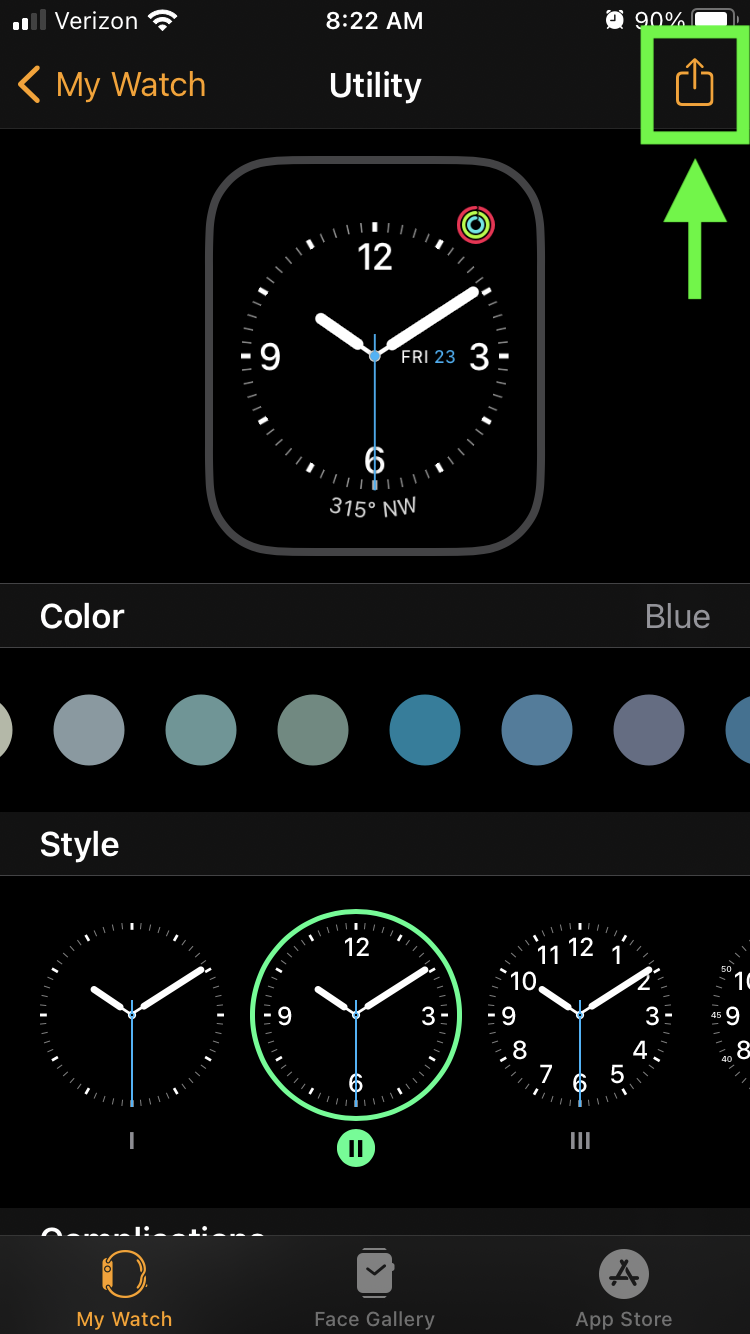
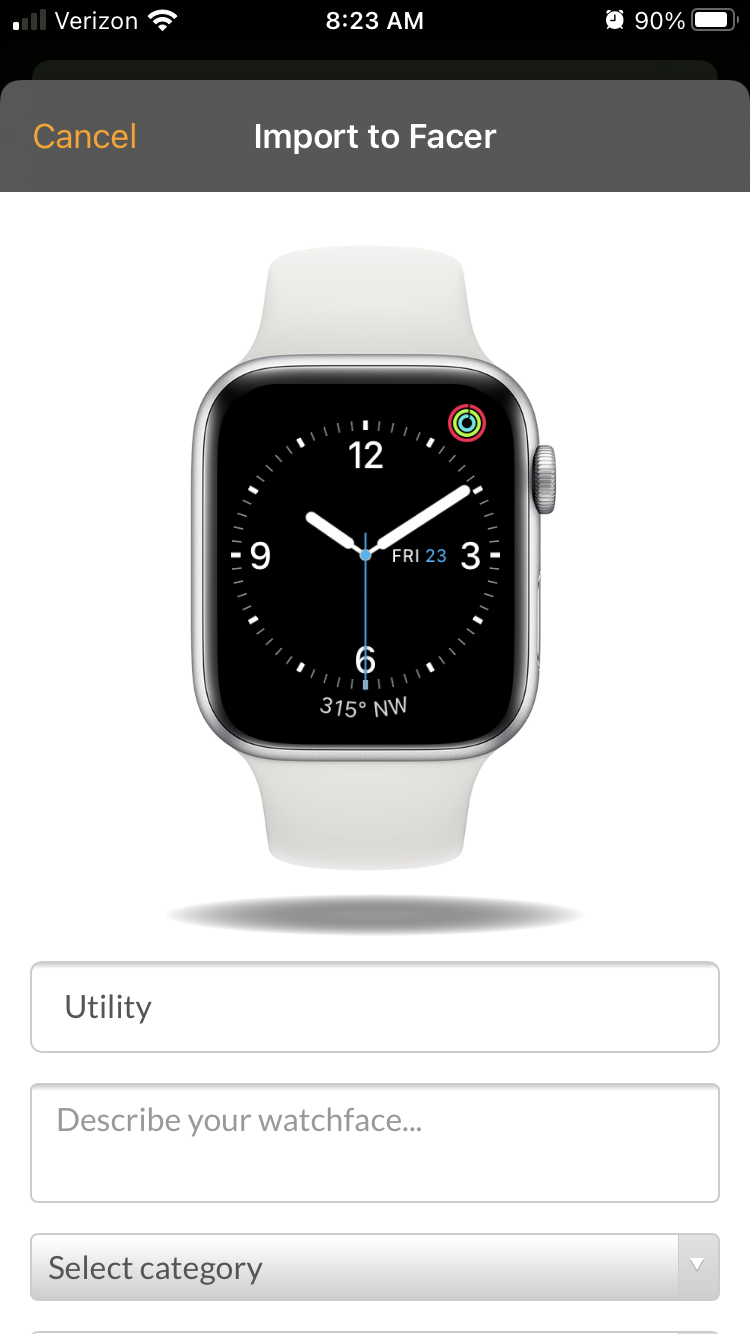
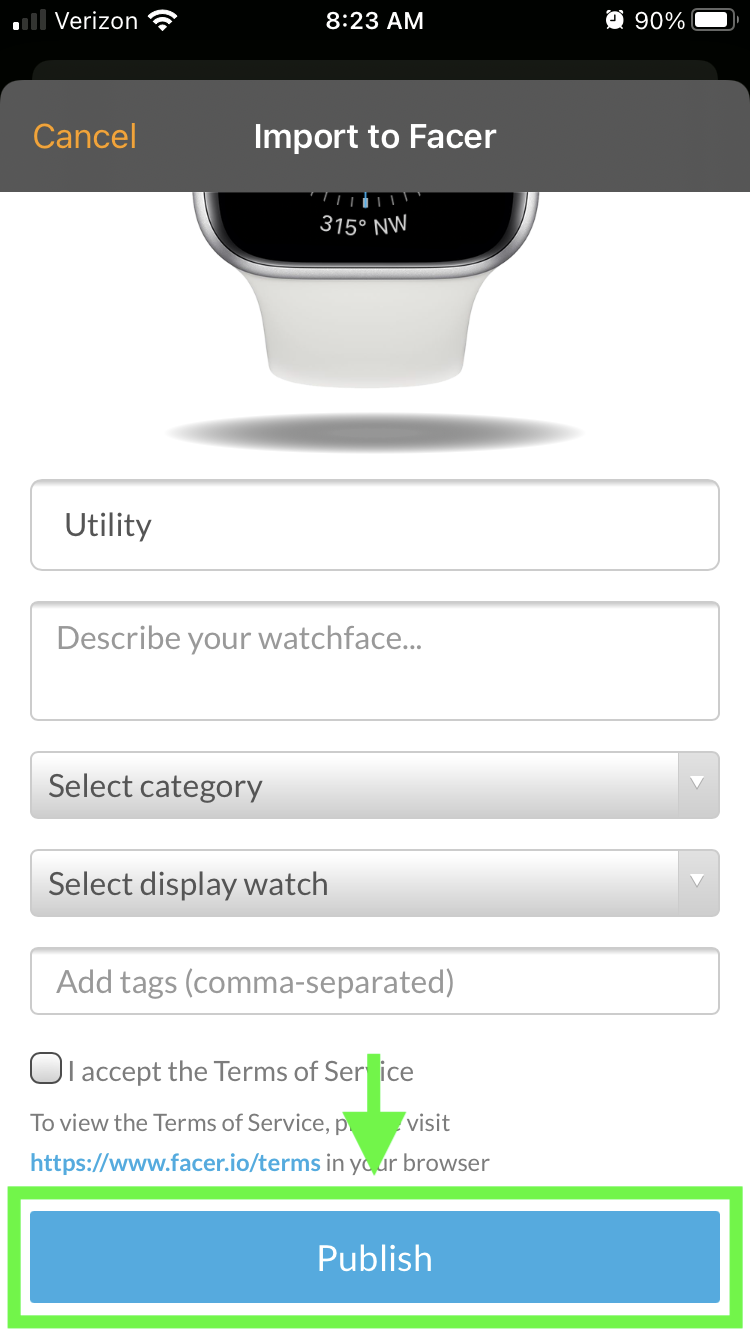
How do I publish my Apple Watch face designs? Peter Henlein September 11, 2020 21:28 Updated You can publish any of your Apple Watch face design to Facer in a few easy steps: 1. Open the Apple Watch app on your iPhone 2. Select the design you want to publish 3. Tap the Share icon in the top-right corner 4. Find & tap Facer in the apps list 5. Fill out the publish form 6. Tap Publish and you're done! 8. After publishing, you will receive a confirmation email with a link to your design that you can share with the world! Related articles Issues syncing faces with Facer iPhone and Apple Watch Issues syncing faces to your smartwatch How to use Facer with Apple Watch? Install Facer on your devices Why are some faces not available for my Apple Watch?